← Prompts
Reference Copilot Instructions Collection
Using dependent libraries in PCF components
Using dependent libraries in PCF components
# Dependent Libraries (Preview) [This topic is pre-release documentation and is subject to change.] With model-driven apps, you can reuse a prebuilt library contained in another component that is loaded as a dependency to more than one component. Having copies of a prebuilt library in multiple controls is undesirable. Reusing existing libraries improves performance, especially when the library is large, by reducing the load time for all components that use the library. Library reuse also helps reduce the maintenance overhead in build processes. ## Before and After **Before**: Custom library files contained in each PCF component 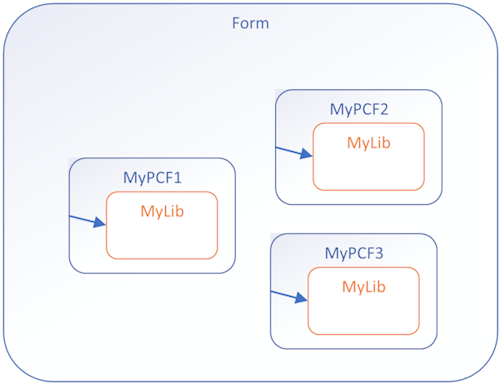 **After**: Components calling a shared function from a Library Control 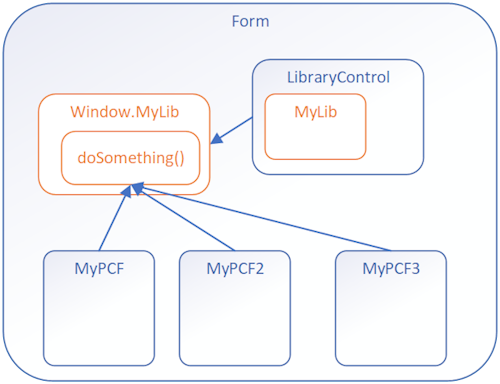 ## Implementation Steps To use dependent libraries, you need to: 1. Create a **Library component** that contains the library. This component can provide some functionality or only be a container for the library. 2. Configure another component to depend on the library loaded by the library component. By default, the library loads when the dependent component loads, but you can configure it to load on demand.
Sign in to view the full prompt.
Sign InClassification
Reference Documentation, cheatsheets, setup guides
Scope Project
This codebase Manual Manually placed / Persistent