← Prompts
Reference Copilot Instructions Collection
Using code components in Power Pages sites
Using code components in Power Pages sites
# Use Code Components in Power Pages Power Pages now support controls built for model-driven apps created using Power Apps component framework. To use code components in Power Pages site webpages: 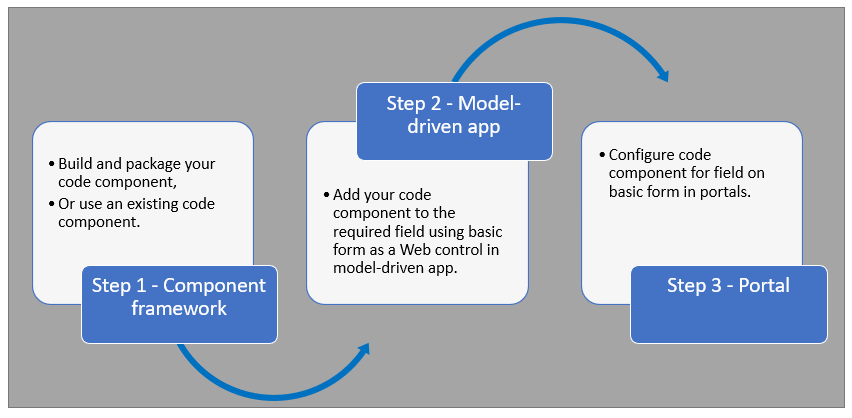 After completing these steps, users can interact with the code component using the webpage that has the respective [form](https://learn.microsoft.com/en-us/power-pages/getting-started/add-form) component. ## Prerequisites - You need system administrator privileges to enable the code component feature in the environment - Your Power Pages site version needs to be [9.3.3.x](https://learn.microsoft.com/en-us/power-apps/maker/portals/versions/version-9.3.3.x) or higher - Your starter site package needs to be [9.2.2103.x](https://learn.microsoft.com/en-us/power-apps/maker/portals/versions/package-version-9.2.2103) or higher ## Create and Package Code Component To learn about creating and packaging code components in Power Apps component framework, go to [Create your first component](https://learn.microsoft.com/en-us/power-apps/developer/component-framework/implementing-controls-using-typescript). ### Supported Field Types and Formats Power Pages supports restricted field types and formats for using code components. The following table lists all supported field data types and formats: **Supported Types:** - Currency - DateAndTime.DateAndTime
Sign in to view the full prompt.
Sign InClassification
Reference Documentation, cheatsheets, setup guides
Scope Project
This codebase Manual Manually placed / Persistent